






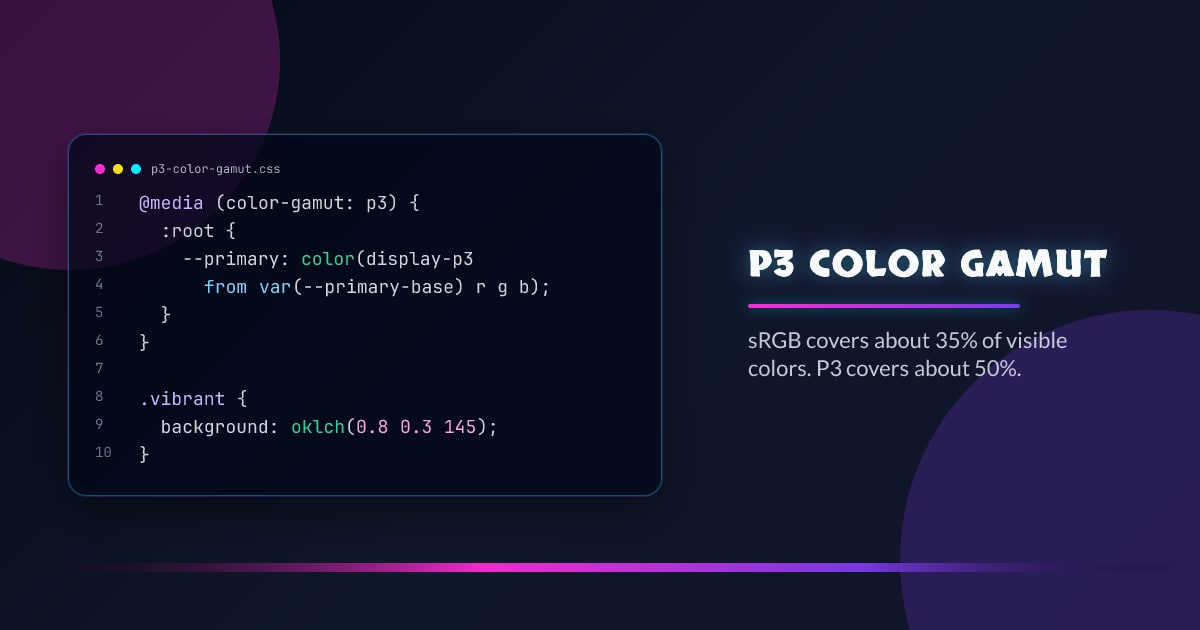
P3 Color Gamut: The Most Vibrant Color Model
sRGB covers about 35% of visible colors. P3 covers about 50%. On supported displays — MacBooks, iPhones, most modern monitors — colors defined in P3 look physically more saturated. The technology has been shipping in browsers since 2017. Most developers still aren’t using it.
This post covers the full toolchain: color(), color-gamut media queries, @supports guards, relative color syntax upgrades, and OKLCH — the color space that makes all of it practical.
What Is P3?
DCI-P3 is a wide-gamut color space originally developed for digital cinema. display-p3 is the version used in CSS, tuned for consumer displays. Its gamut is roughly 25% wider than sRGB, with the biggest gains in reds, greens, and saturated teals.
Browsers clip P3 values to sRGB on non-P3 displays. You get no artifacts — just the standard color. On P3 displays, you get the expanded vibrancy.
Color Gamut Comparison
CIE 1931 Chromaticity Diagram — select color spaces to compare
Standard RGB — covers about 35% of visible colors. Used in all legacy monitors, web images, and CSS hex values.
Wide-gamut space used in Apple displays, iPhones, and modern monitors. About 25% wider than sRGB — especially richer in reds and greens.
Why aren't Hex, HSL, OKLCH, or Lab on the chart?
The diagram shows color gamuts — the physical range of colors a display or standard can reproduce, defined by RGB primary coordinates. Hex, HSL, HWB, Lab, LCH, Oklab, and OKLCH are color notations — different syntaxes for addressing colors within a gamut, not gamuts themselves.
OKLCH is special: at low chroma values it stays inside sRGB. Push chroma above ~0.2 and it describes colors outside sRGB — which P3 displays can actually render.
Basic Syntax: The color() Function
The color() function takes a named color space followed by channel values as decimals from 0 to 1:
color(display-p3 red green blue)
color(display-p3 red green blue / alpha)
/* A vibrant P3 red */
.vibrant-box {
background-color: color(display-p3 1 0 0);
}
/* P3 blue with 50% opacity */
.transparent-blue {
background-color: color(display-p3 0 0 1 / 0.5);
}Note that color(display-p3 1 0 0) is not the same as rgb(255, 0, 0). They map to different physical colors. The P3 red uses coordinates in a wider space, so on a P3 display it renders as a more saturated red than pure sRGB can produce.
Implementing Fallbacks
Not all browsers or screens support wide-gamut colors. Two fallback strategies:
Method 1: Cascading Declaration
Browsers that don’t support color() ignore it and keep the previous value. Stack the declarations:
.box {
  /* Fallback for older browsers */
  background-color: rgb(255, 0, 0);

  /* Used if color() is supported */
  background-color: color(display-p3 1 0 0);
}
Method 2: @media (color-gamut)
The color-gamut media query checks the display’s actual capability. Apply P3 styles only when the hardware can render them:
.vibrant-text {
  color: rgb(0, 220, 0); /* sRGB fallback */
}

@media (color-gamut: p3) {
  .vibrant-text {
    color: color(display-p3 0 1 0);
  }
}
Method 3: @supports
For finer-grained feature detection, use @supports to gate any P3 block:
.button {
  background-color: rgb(0, 100, 255);
}

@supports (color: color(display-p3 0 0 1)) {
  .button {
    background-color: color(display-p3 0 0.39 1);
  }
}
You can also combine both — @supports to confirm the function works, plus @media (color-gamut: p3) to confirm the display can render it:
@media (color-gamut: p3) {
  @supports (color: color(display-p3 0 0 1)) {
    .hero {
      background: color(display-p3 0.9 0.1 0.5);
    }
  }
}
Relative Color Syntax: Automatic Upgrades
Relative color syntax lets you take an existing color and convert it into the P3 space automatically using the from keyword:
/* Converts rebeccapurple to its P3 equivalent */
color: color(display-p3 from rebeccapurple r g b);

/* Same conversion, with opacity */
color: color(display-p3 from rebeccapurple r g b / 0.5);
The browser converts the origin color’s sRGB coordinates into display-p3 space and extracts the r, g, and b channels. By default this looks nearly identical to the original — you’re just mapping sRGB values 1:1 into P3.
Pushing Beyond the Original
To actually use P3’s wider range, boost the channels with calc():
/* A "supercharged" rebeccapurple */
.vibrant-purple {
  background-color: color(
    display-p3 from rebeccapurple calc(r * 1.2) g calc(b * 1.2)
  );
}
Keep values clamped to 0–1 or they’ll clip. A multiplier of 1.1–1.3 on saturated channels is usually enough to noticeably widen the gamut without blowing out.
Smart Variables: One System, Two Gamuts
The most practical pattern: define base sRGB hex codes as CSS variables, then auto-upgrade them to P3 inside a media query. Everything downstream just uses the smart variables.
Step 1 — Define Base Colors
:root {
  --primary-base: #0055ff;
  --accent-base: #ff0044;
}
Step 2 — Create Smart Variables
:root {
  /* Default: sRGB */
  --primary: var(--primary-base);
  --accent: var(--accent-base);
}

@media (color-gamut: p3) {
  :root {
    /* On P3 screens: auto-upgrade to display-p3 */
    --primary: color(display-p3 from var(--primary-base) r g b);
    --accent: color(display-p3 from var(--accent-base) r g b);
  }
}
Step 3 — Use the Variables Everywhere
.button {
  /* sRGB on standard screens, P3 on wide-gamut displays */
  background-color: var(--primary);
}

.card {
  border: 1px solid var(--accent);
}
Why this works well:
- Single source of truth — change the hex, the P3 version updates automatically
- Progressive enhancement — older browsers and cheap monitors get the hex fallback
- Zero duplication — no separate P3 palette to maintain
You can also boost the P3 version for extra punch:
@media (color-gamut: p3) {
  :root {
    --primary: color(display-p3 from var(--primary-base) r calc(g * 1.05) b);
  }
}
Why OKLCH Is the Better Choice
Once you’re thinking in wide-gamut color, the color() function with raw P3 coordinates gets unwieldy fast. OKLCH is a better color space for authoring — and it can define colors that are inherently P3 or wider.
What OKLCH Is
OKLCH describes colors with three channels:
- L — lightness, from 0 (black) to 1 (white)
- C — chroma (saturation), from 0 (gray) to ~0.4 (highly saturated)
- H — hue angle, from 0 to 360
oklch(lightness chroma hue)
oklch(lightness chroma hue / alpha)
OKLCH vs HSL: Perceptual Uniformity
HSL’s lightness is not perceptually uniform. Yellow at hsl(60 100% 50%) looks much brighter than blue at hsl(240 100% 50%), even though both have 50% lightness. This makes it unreliable for creating consistent color scales.
/* HSL: same "lightness", wildly different perceived brightness */
hsl(0 100% 50%)    /* Red   — looks medium */
hsl(60 100% 50%)   /* Yellow — looks way brighter */
hsl(240 100% 50%)  /* Blue  — looks darker */

/* OKLCH: same L, consistent perceived brightness */
oklch(0.6 0.25 0)    /* Red */
oklch(0.6 0.25 60)   /* Yellow — actually looks the same brightness */
oklch(0.6 0.25 240)  /* Blue */
This matters most when generating color scales, accessible contrast ratios, or hover states — you can adjust lightness with confidence.
OKLCH Can Reach P3 (and Beyond)
When chroma exceeds roughly 0.2–0.25, an OKLCH color is outside the sRGB gamut. On sRGB displays, browsers clamp it to the closest sRGB value. On P3 displays, it renders at its true vibrancy.
/* Chroma 0.3 — outside sRGB, P3 vibrancy on supported displays */
.vibrant-green {
  background-color: oklch(0.8 0.3 145);
}
You don’t need @media (color-gamut: p3) for this to work safely. The fallback is automatic and graceful — sRGB displays just clamp the color.
Rule of thumb: Set chroma above 0.2 to use P3’s range. Stay above 0.25 for vivid colors. 0.3+ is where it gets noticeably wider than sRGB.
Building a P3-Aware Design System with OKLCH
:root {
  /* Brand color — chroma 0.28 puts it in P3 range */
  --brand: oklch(0.55 0.28 250);

  /* Automatic scale using relative color syntax */
  --brand-100: oklch(from var(--brand) calc(l + 0.35) calc(c * 0.5) h);
  --brand-200: oklch(from var(--brand) calc(l + 0.25) calc(c * 0.65) h);
  --brand-300: oklch(from var(--brand) calc(l + 0.15) calc(c * 0.8) h);
  --brand-400: oklch(from var(--brand) calc(l + 0.05) calc(c * 0.9) h);
  --brand-500: var(--brand);
  --brand-600: oklch(from var(--brand) calc(l - 0.08) c h);
  --brand-700: oklch(from var(--brand) calc(l - 0.16) c h);
  --brand-800: oklch(from var(--brand) calc(l - 0.24) c h);
  --brand-900: oklch(from var(--brand) calc(l - 0.32) c h);
}
Because OKLCH is perceptually uniform, this scale will look visually even — no unexpected brightness jumps.
Hover States, Opacity, Complementary Colors
.button {
  --btn-bg: oklch(0.5 0.26 250);
  background: var(--btn-bg);
  color: oklch(from var(--btn-bg) 0.97 calc(c * 0.1) h);
}

.button:hover {
  background: oklch(from var(--btn-bg) calc(l + 0.08) c h);
}

.button:active {
  background: oklch(from var(--btn-bg) calc(l - 0.08) c h);
}

/* Focus ring with transparency */
.button:focus-visible {
  outline: 3px solid oklch(from var(--btn-bg) l c h / 0.5);
}
:root {
--primary: oklch(0.55 0.26 250);
/* Complementary — rotate hue 180° */
--complementary: oklch(from var(--primary) l c calc(h + 180));
/* Triadic */
--triadic-1: oklch(from var(--primary) l c calc(h + 120));
--triadic-2: oklch(from var(--primary) l c calc(h + 240));
}OKLCH with @supports
If you want to conditionally gate OKLCH-based variables:
:root {
  /* Baseline: standard hex */
  --primary: #0055ff;
  --primary-light: #4480ff;
}

@supports (color: oklch(0.5 0.2 250)) {
  :root {
    --primary: oklch(0.52 0.28 264);
    --primary-light: oklch(from var(--primary) calc(l + 0.15) c h);
  }
}
OKLCH support is broad — Chrome 111+, Firefox 113+, Safari 15.4+ — so @supports here is mostly for legacy safety.
color-mix(): Blending Colors in CSS
color-mix() lets you blend two colors directly in CSS, in any color space you choose. It’s especially useful for building dynamic shades and tints from a single source color without needing preprocessors or JavaScript.
color-mix(in <color-space>, <color1> [<percentage>], <color2> [<percentage>])The color space determines how the blending is interpolated. This matters — mixing in srgb vs oklch produces noticeably different midpoints.
Basic Usage
/* 40% blue mixed with 60% white, in sRGB */
.tint {
  background: color-mix(in srgb, blue 40%, white);
}

/* Mix a brand color with transparent to create opacity variants */
.subtle {
  background: color-mix(in srgb, var(--primary) 20%, transparent);
}
Why the Color Space Matters
Mixing in sRGB can produce muddy midpoints — the infamous “gray mud” when you mix complementary colors. Mixing in OKLCH keeps colors perceptually vibrant through the blend.
/* sRGB: produces a dull gray midpoint between red and blue */
.muddy {
  background: color-mix(in srgb, red 50%, blue 50%);
}

/* OKLCH: stays vivid through the blend, passes through purple */
.vivid {
  background: color-mix(in oklch, red 50%, blue 50%);
}

/* oklch interpolates hue smoothly — great for gradients */
.vibrant-gradient {
  background: linear-gradient(
    to right,
    color-mix(in oklch, var(--brand) 100%, transparent),
    color-mix(in oklch, var(--brand) 0%, transparent)
  );
}
Building a Palette from One Color
The real power is generating an entire scale from a single CSS variable — no Sass, no hardcoded shades:
:root {
  --brand: oklch(0.52 0.28 264);
}

.palette {
  --shade-50: color-mix(in oklch, var(--brand) 5%, white);
  --shade-100: color-mix(in oklch, var(--brand) 15%, white);
  --shade-200: color-mix(in oklch, var(--brand) 30%, white);
  --shade-300: color-mix(in oklch, var(--brand) 50%, white);
  --shade-400: color-mix(in oklch, var(--brand) 70%, white);
  --shade-500: var(--brand);
  --shade-600: color-mix(in oklch, var(--brand) 85%, black);
  --shade-700: color-mix(in oklch, var(--brand) 70%, black);
  --shade-800: color-mix(in oklch, var(--brand) 55%, black);
  --shade-900: color-mix(in oklch, var(--brand) 35%, black);
}
Change --brand and the entire palette regenerates automatically.
Hover States Without Extra Variables
.button {
  background: var(--primary);
}

.button:hover {
  /* 15% darker, computed at runtime */
  background: color-mix(in oklch, var(--primary) 85%, black);
}

.button:active {
  background: color-mix(in oklch, var(--primary) 70%, black);
}
color-mix() + P3
You can mix colors in the display-p3 space too, which keeps blends within the wider gamut on capable screens:
@media (color-gamut: p3) {
  .hero {
    /* Blend stays in P3 gamut throughout */
    background: color-mix(
      in display-p3,
      color(display-p3 1 0 0.3),
      color(display-p3 0 0.2 1)
    );
  }
}
color-mix() vs. Relative Color Syntax
Both can create shades — they’re complementary, not competing:
/* color-mix: great for explicit blends between two known colors */
color-mix(in oklch, var(--brand) 80%, black)

/* Relative color syntax: great for channel-level adjustments */
oklch(from var(--brand) calc(l - 0.1) c h)
Use color-mix() when you want to blend toward white, black, transparent, or another color. Use relative syntax when you want to tweak a specific channel (lightness, chroma, hue).
color-mix() is supported in Chrome 111+, Firefox 113+, and Safari 16.2+.
Putting It All Together
A full progressive enhancement stack, from sRGB hex up to P3-boosted OKLCH:
:root {
  /* 1. Base sRGB hex — the source of truth */
  --primary-base: #0055ff;
  --accent-base: #ff2244;

  /* 2. Smart variables default to hex */
  --primary: var(--primary-base);
  --accent: var(--accent-base);
}

/* 3. Upgrade to P3 on capable displays */
@media (color-gamut: p3) {
  @supports (color: color(display-p3 0 0 1)) {
    :root {
      --primary: color(display-p3 from var(--primary-base) r g b);
      --accent: color(display-p3 from var(--accent-base) r g b);
    }
  }
}

/* 4. Or use OKLCH directly — it self-expands on P3 screens */
@supports (color: oklch(0.5 0.3 250)) {
  :root {
    --primary: oklch(0.52 0.28 264);
    --accent: oklch(0.6 0.3 12);
  }
}

/* 5. Use the variables — nothing else changes */
.hero {
  background: linear-gradient(135deg, var(--primary), var(--accent));
}

.button {
  background: var(--primary);
  color: white;
}

.button:hover {
  background: oklch(from var(--primary) calc(l + 0.08) c h);
}
The browser picks the best option it can handle. sRGB-only devices get hex. P3 devices get wider gamut automatically. Nothing breaks.
Browser Support
color(display-p3) is supported in Chrome 111+, Firefox 113+, Safari 10.1+. @media (color-gamut: p3) has similar coverage. OKLCH is supported in Chrome 111+, Firefox 113+, Safari 15.4+.
For practical purposes: if a user is on a modern MacBook, iPhone, iPad, or flagship Android with a P3 panel — and they’re running a current browser — they’ll see your P3 colors. The rest get your sRGB fallback.
Browser support snapshot
Live support matrix for css-color-function from
Can I Use.
Show static fallback image

Source: caniuse.com
Browser support snapshot
Live support matrix for css-color-mix from Can I Use.
Show static fallback image

Source: caniuse.com




