






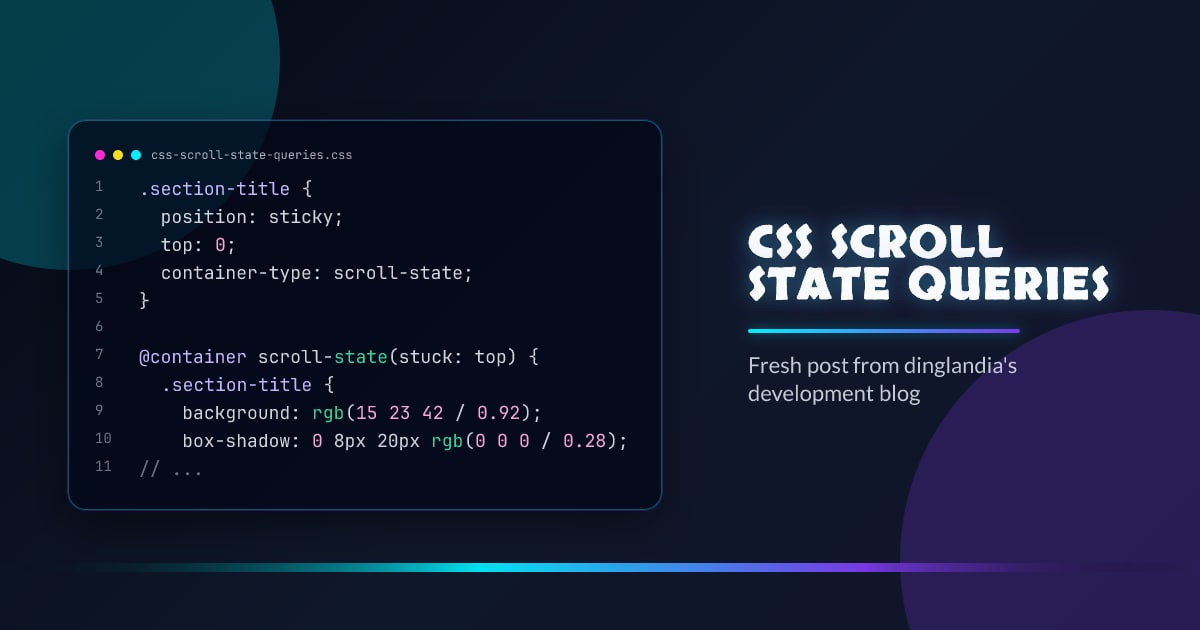
CSS Scroll State Queries: React to Scroll Position Without JS
Scroll experiences used to require JavaScript observers for almost everything.
Scroll state queries bring part of that power into CSS.
You can now style elements based on scroll behavior such as:
- when a sticky element is stuck
- when a snap target is snapped
Why This Matters
This improves:
- performance (less runtime JS)
- maintainability (state lives near styles)
- progressive enhancement (clean fallback path)
Core Idea
Declare a scroll-state container, then query it.
.section-title {
  position: sticky;
  top: 0;
  container-type: scroll-state;
}

@container scroll-state(stuck: top) {
  .section-title {
    background: rgb(15 23 42 / 0.92);
    box-shadow: 0 8px 20px rgb(0 0 0 / 0.28);
    backdrop-filter: blur(6px);
  }
}
When the sticky header reaches the top and becomes “stuck”, styles inside the query apply.
Snap Query Pattern
For scroll snapping UIs, you can style the currently snapped card:
.gallery-item {
  scroll-snap-align: center;
  container-type: scroll-state;
}

@container scroll-state(snapped: inline) {
  .gallery-item {
    transform: scale(1.02);
    outline: 2px solid #00f0ff;
  }
}
This is ideal for carousels and guided walkthrough UIs.
Progressive Enhancement Strategy
Keep a solid baseline, then upgrade:
.section-title {
  position: sticky;
  top: 0;
  background: #111827;
}

@supports (container-type: scroll-state) {
  .section-title {
    container-type: scroll-state;
  }

  @container scroll-state(stuck: top) {
    .section-title {
      background: #0f172a;
    }
  }
}
Older browsers still get a usable sticky header.
Real-World Use Cases
1. Section headers that get “active” once pinned
- stronger background
- added divider or shadow
- compact typography
2. Horizontal cards that highlight when snapped
- active state without JS classes
- better keyboard and touch affordance
3. Reading progress affordances
- subtle chapter marker updates
- stateful nav cues
Good Boundaries
Use scroll state queries for visual state.
Use JavaScript when you need:
- analytics events
- URL/history sync
- business logic and side effects
Common Pitfalls
1. Forgetting container-type: scroll-state
No container declaration means queries will never match.
2. Over-styling snapped/stuck states
Large layout shifts while scrolling can feel janky.
3. Mixing behavior and state styles
Keep motion logic minimal and predictable.
Conclusion
Scroll state queries are a strong upgrade for modern UI systems.
Use them to simplify scroll-aware styling, reduce JS glue code, and keep interactions fast.
Browser support snapshot
Live support matrix for css-container-queries from
Can I Use.
Show static fallback image
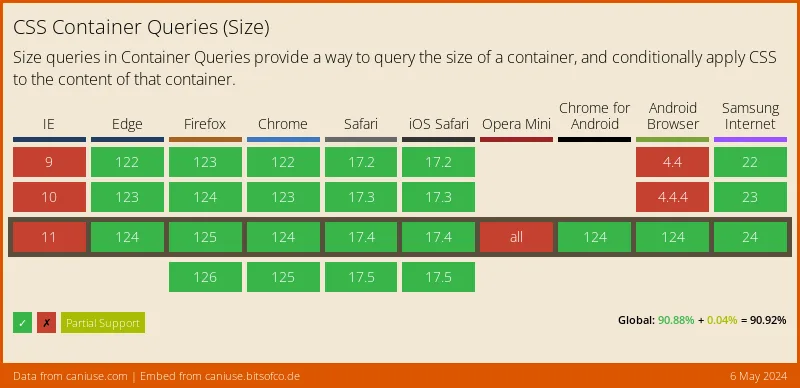
Source: caniuse.com




