






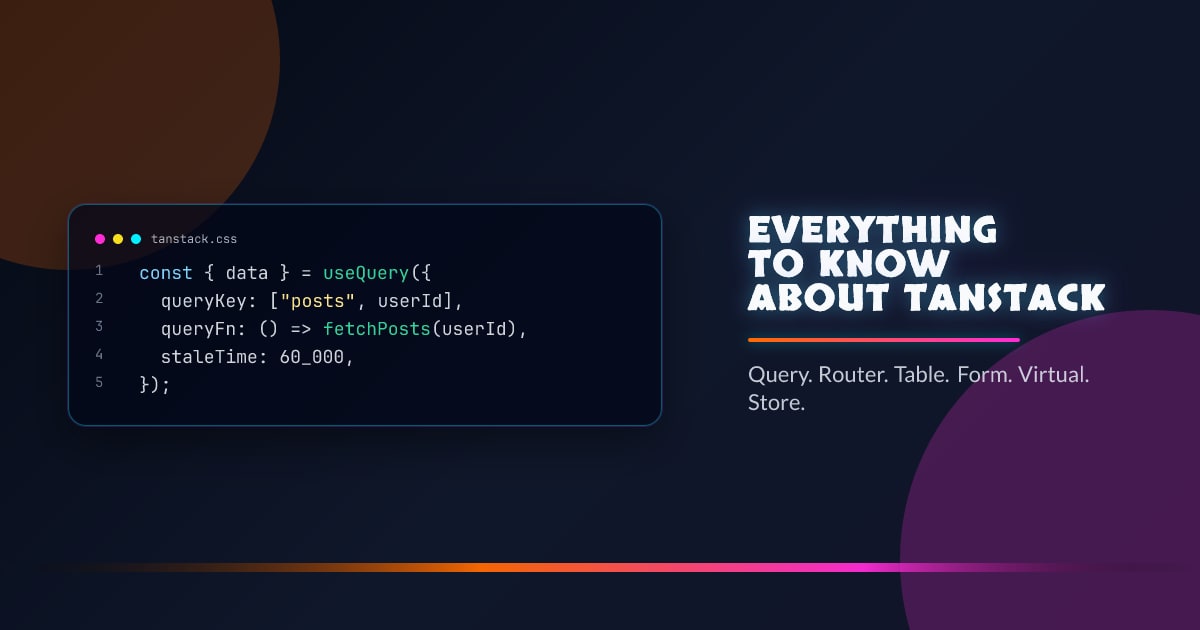
Everything to Know About TanStack
TanStack is a collection of headless, framework-agnostic libraries for React, Vue, Solid, Svelte, and Angular. Each library focuses on one problem, ships with zero default UI, and hands you the data and callbacks to build whatever you want on top.
The libraries share a consistent design philosophy: own the hard state management problem, expose a clean API, let the UI framework handle rendering.
TanStack Query
The flagship library. Handles server state — fetching, caching, background refresh, pagination, and mutation.
import { useQuery, useMutation, useQueryClient } from "@tanstack/react-query";

const queryClient = new QueryClient();

function Posts() {
  const { data, isLoading, error } = useQuery({
    queryKey: ["posts"],
    queryFn: () => fetch("/api/posts").then((r) => r.json()),
    staleTime: 60_000,
  });

  if (isLoading) return <Spinner />;
  if (error) return <Error />;
  return data.map((post) => <Post key={post.id} post={post} />);
}
Query keys
Query keys are the cache key. They can be any serializable value — strings, arrays, objects.
// Static key
useQuery({ queryKey: ["user"] });

// Parameterized key — different cache entry per userId
useQuery({ queryKey: ["user", userId] });

// Nested key — fine-grained invalidation
useQuery({ queryKey: ["user", userId, "posts"] });
Invalidating ["user", userId] also invalidates all queries whose key starts with ["user", userId]. This hierarchical structure is intentional and powerful.
Stale-while-revalidate
TanStack Query implements stale-while-revalidate by default. staleTime controls how long cached data is considered fresh (no refetch). After staleTime, the next access returns stale data immediately and fetches in the background.
useQuery({
  queryKey: ["config"],
  queryFn: fetchConfig,
  staleTime: Infinity, // never refetch — good for immutable data
  gcTime: 10 * 60 * 1000, // remove from cache after 10min unused
});
gcTime (formerly cacheTime) is how long unused cache entries persist. Once a query has no subscribers, the timer starts.
Mutations
const queryClient = useQueryClient();

const mutation = useMutation({
  mutationFn: (newPost) =>
    fetch("/api/posts", { method: "POST", body: JSON.stringify(newPost) }),
  onSuccess: () => {
    // Invalidate and refetch
    queryClient.invalidateQueries({ queryKey: ["posts"] });
  },
  onMutate: async (newPost) => {
    // Optimistic update
    await queryClient.cancelQueries({ queryKey: ["posts"] });
    const previous = queryClient.getQueryData(["posts"]);
    queryClient.setQueryData(["posts"], (old) => [...old, newPost]);
    return { previous };
  },
  onError: (err, newPost, context) => {
    // Roll back on error
    queryClient.setQueryData(["posts"], context.previous);
  },
});
Infinite queries
const { data, fetchNextPage, hasNextPage } = useInfiniteQuery({
  queryKey: ["posts"],
  queryFn: ({ pageParam }) =>
    fetch(`/api/posts?cursor=${pageParam}`).then((r) => r.json()),
  initialPageParam: 0,
  getNextPageParam: (lastPage) => lastPage.nextCursor,
});
data.pages is a flat array of page results. fetchNextPage triggers the next fetch. Handles deduplication and loading state automatically.
Suspense mode
const { data } = useSuspenseQuery({
  queryKey: ["user", id],
  queryFn: () => fetchUser(id),
});
// data is always defined here — loading is handled by <Suspense>
Works with React’s <Suspense> and error boundaries. The component throws a promise while loading and an error on failure — no manual loading/error state needed.
TanStack Router
A fully type-safe router with first-class support for search params, loaders, nested layouts, and file-based routing.
import {
  createRootRoute,
  createRoute,
  createRouter,
} from "@tanstack/react-router";

const rootRoute = createRootRoute({ component: RootLayout });

const postsRoute = createRoute({
  getParentRoute: () => rootRoute,
  path: "/posts",
  loader: async () => fetchPosts(),
  component: PostsPage,
});

const postRoute = createRoute({
  getParentRoute: () => postsRoute,
  path: "$postId",
  loader: async ({ params }) => fetchPost(params.postId),
  component: PostPage,
});

const router = createRouter({
  routeTree: rootRoute.addChildren([postsRoute.addChildren([postRoute])]),
});
Type-safe search params
import { z } from "zod";

const postsRoute = createRoute({
  path: "/posts",
  validateSearch: z.object({
    page: z.number().default(1),
    sort: z.enum(["date", "title"]).default("date"),
    q: z.string().optional(),
  }),
  component: PostsPage,
});

function PostsPage() {
  const { page, sort, q } = postsRoute.useSearch();
  // page: number, sort: "date" | "title", q: string | undefined — fully typed
}
Search params are validated on entry, serialized to the URL, and typed through. Navigation is type-safe:
navigate({ to: "/posts", search: { page: 2, sort: "title" } });
// TypeScript error if sort is not "date" | "title"
Loaders and the cache
Each route can define a loader that runs before the component renders. Loaders run in parallel for concurrent routes. The router integrates with TanStack Query:
const postRoute = createRoute({
  path: "/posts/$postId",
  loader: ({ params, context: { queryClient } }) =>
    queryClient.ensureQueryData({
      queryKey: ["posts", params.postId],
      queryFn: () => fetchPost(params.postId),
    }),
});
Data is preloaded as the user navigates — no waterfall.
Pending UI and transitions
function PostsPage() {
  const isLoading = useRouterState({ select: (s) => s.isLoading });
  // Show pending UI while the loader runs
}
TanStack Table
Headless table logic. Handles sorting, filtering, pagination, grouping, column visibility, row selection, virtual scrolling — you provide the render.
import {
  useReactTable,
  getCoreRowModel,
  getSortedRowModel,
  getFilteredRowModel,
  getPaginationRowModel,
  flexRender,
} from "@tanstack/react-table";

const table = useReactTable({
  data,
  columns,
  getCoreRowModel: getCoreRowModel(),
  getSortedRowModel: getSortedRowModel(),
  getFilteredRowModel: getFilteredRowModel(),
  getPaginationRowModel: getPaginationRowModel(),
});
Column definitions
import { createColumnHelper } from "@tanstack/react-table";

const columnHelper = createColumnHelper<User>();

const columns = [
  columnHelper.accessor("name", {
    header: "Name",
    cell: (info) => <strong>{info.getValue()}</strong>,
    sortingFn: "alphanumeric",
    enableColumnFilter: true,
  }),
  columnHelper.accessor("email", {
    header: "Email",
    enableSorting: false,
  }),
  columnHelper.display({
    id: "actions",
    cell: (info) => <Actions row={info.row} />,
  }),
];
Column helpers are fully typed — getValue() returns the exact type of the field.
Rendering
<table>
  <thead>
    {table.getHeaderGroups().map((headerGroup) => (
      <tr key={headerGroup.id}>
        {headerGroup.headers.map((header) => (
          <th key={header.id} onClick={header.column.getToggleSortingHandler()}>
            {flexRender(header.column.columnDef.header, header.getContext())}
          </th>
        ))}
      </tr>
    ))}
  </thead>
  <tbody>
    {table.getRowModel().rows.map((row) => (
      <tr key={row.id}>
        {row.getVisibleCells().map((cell) => (
          <td key={cell.id}>
            {flexRender(cell.column.columnDef.cell, cell.getContext())}
          </td>
        ))}
      </tr>
    ))}
  </tbody>
</table>
Virtual rows with TanStack Virtual
For large datasets, combine with TanStack Virtual:
import { useVirtualizer } from "@tanstack/react-virtual";

const rowVirtualizer = useVirtualizer({
  count: table.getRowModel().rows.length,
  getScrollElement: () => tableContainerRef.current,
  estimateSize: () => 35,
  overscan: 10,
});

// Only render virtualRows, positioned absolutely
const virtualRows = rowVirtualizer.getVirtualItems();
This renders only the visible rows regardless of dataset size. Scroll performance stays constant at 100k+ rows.
TanStack Form
Type-safe form state management. Handles validation, async validation, field-level state, and arrays.
import { useForm } from "@tanstack/react-form";
import { z } from "zod";

const form = useForm({
  defaultValues: { email: "", password: "" },
  validators: {
    onChange: z.object({
      email: z.string().email(),
      password: z.string().min(8),
    }),
  },
  onSubmit: async ({ value }) => {
    await login(value);
  },
});
Fields
<form
  onSubmit={(e) => {
    e.preventDefault();
    form.handleSubmit();
  }}
>
  <form.Field name="email">
    {(field) => (
      <div>
        <input
          value={field.state.value}
          onBlur={field.handleBlur}
          onChange={(e) => field.handleChange(e.target.value)}
        />
        {field.state.meta.errors.map((err) => (
          <span key={err}>{err}</span>
        ))}
      </div>
    )}
  </form.Field>
</form>
Each field subscribes only to its own state — changing one field doesn’t re-render others.
Array fields
<form.Field name="tags" mode="array">
  {(field) => (
    <>
      {field.state.value.map((_, i) => (
        <form.Field key={i} name={`tags[${i}]`}>
          {(subField) => (
            <input
              value={subField.state.value}
              onChange={(e) => subField.handleChange(e.target.value)}
            />
          )}
        </form.Field>
      ))}
      <button type="button" onClick={() => field.pushValue("")}>
        Add tag
      </button>
    </>
  )}
</form.Field>
TanStack Virtual
Virtualizes any list, grid, or table. Works with fixed, variable, or dynamic item sizes.
import { useVirtualizer } from "@tanstack/react-virtual";

function VirtualList({ items }) {
  const parentRef = useRef(null);

  const virtualizer = useVirtualizer({
    count: items.length,
    getScrollElement: () => parentRef.current,
    estimateSize: () => 50,
  });

  return (
    <div ref={parentRef} style={{ height: "600px", overflow: "auto" }}>
      <div style={{ height: virtualizer.getTotalSize() + "px", position: "relative" }}>
        {virtualizer.getVirtualItems().map((virtualItem) => (
          <div
            key={virtualItem.key}
            style={{
              position: "absolute",
              top: virtualItem.start + "px",
              width: "100%",
              height: virtualItem.size + "px",
            }}
          >
            {items[virtualItem.index]}
          </div>
        ))}
      </div>
    </div>
  );
}
For dynamic sizes, pass a measureElement callback. The virtualizer measures items as they mount and updates its size estimate.
const virtualizer = useVirtualizer({
  count: items.length,
  getScrollElement: () => parentRef.current,
  estimateSize: () => 100,
  measureElement: (el) => el.getBoundingClientRect().height,
});
TanStack Store
A tiny reactive state primitive. The foundation the other TanStack libraries build on, exposed publicly for use in your own code.
import { Store } from "@tanstack/store";

const counterStore = new Store({ count: 0 });

// Read
counterStore.state.count;

// Write
counterStore.setState((prev) => ({ count: prev.count + 1 }));

// Subscribe
const unsub = counterStore.subscribe(() => {
  console.log(counterStore.state.count);
});
In React, use useStore to subscribe to a slice:
import { useStore } from "@tanstack/react-store";

function Counter() {
  const count = useStore(counterStore, (s) => s.count);
  // Only re-renders when `count` changes
}
Shared concepts across TanStack
Framework adapters. Every library ships as a framework-agnostic core and thin adapter packages. @tanstack/query-core contains all logic; @tanstack/react-query just adds React hooks. The Vue, Solid, Svelte, and Angular adapters expose the same mental model in each framework’s idioms.
DevTools. Every major library ships devtools as a separate package: @tanstack/react-query-devtools, @tanstack/react-router-devtools, @tanstack/react-table-devtools. Mount them in dev, they disappear in production.
import { ReactQueryDevtools } from "@tanstack/react-query-devtools";

function App() {
  return (
    <QueryClientProvider client={queryClient}>
      {/* your app */}
      <ReactQueryDevtools initialIsOpen={false} />
    </QueryClientProvider>
  );
}
TypeScript-first. All libraries are written in TypeScript and export precise generic types. useQuery<Post[]> infers the data type through to every callback. Router search params propagate their schema type to useSearch. Table column definitions know the row type.
No opinions on UI. TanStack gives you state, events, and computed values. Where you render a <table> vs a <div> grid, which CSS framework you use, whether you use a <dialog> or a custom popover — none of that is its concern.
Choosing the right library
| Need | Library |
|---|---|
| Fetch, cache, and sync server data | TanStack Query |
| Type-safe routing + URL search params | TanStack Router |
| Complex sortable, filterable tables | TanStack Table |
| Form state + validation | TanStack Form |
| Huge scrollable lists | TanStack Virtual |
| Reactive state outside a framework | TanStack Store |
Most production apps end up using Query + Router together, adding Table or Virtual as needed.




